如何在PowerPoint将“插入图片”添加到快速访问
1、打开PowerPoint软件。

2、点击“文件”选项卡。

3、点击“选项”选项卡。

4、点击“快速访问工具栏”。
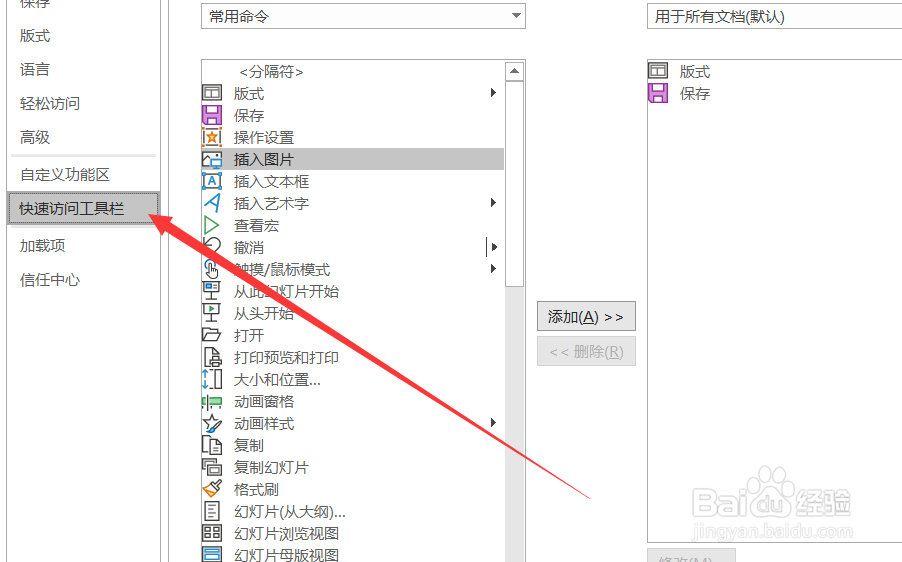
5、点击“插入图片”。

6、点击“添加”。
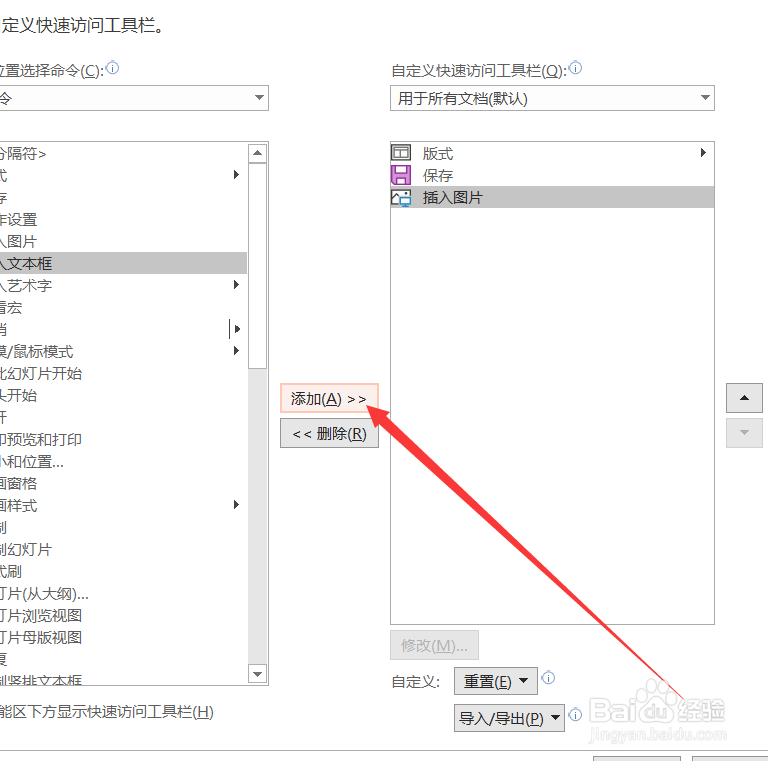
7、点击“确定”。
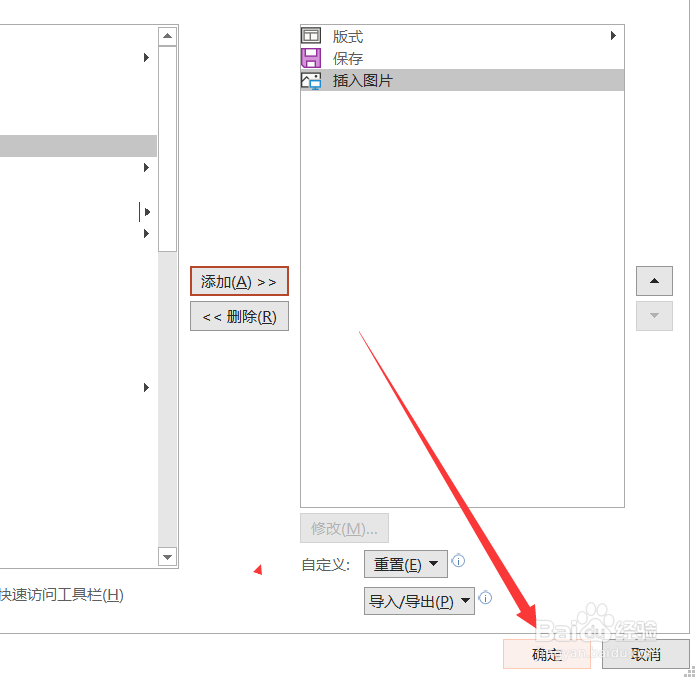
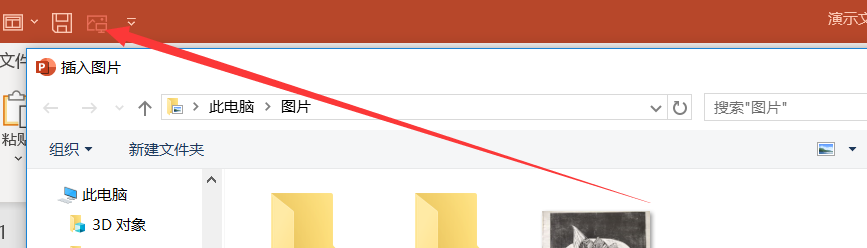
8、这样就把“插入图片”按钮添加至快速访问工具栏中了。
阅读量:171
阅读量:29
阅读量:87
阅读量:178
阅读量:86
1、打开PowerPoint软件。
2、点击“文件”选项卡。
3、点击“选项”选项卡。
4、点击“快速访问工具栏”。
5、点击“插入图片”。
6、点击“添加”。
7、点击“确定”。
8、这样就把“插入图片”按钮添加至快速访问工具栏中了。