Windows server 2012设置拒绝PING命令通信
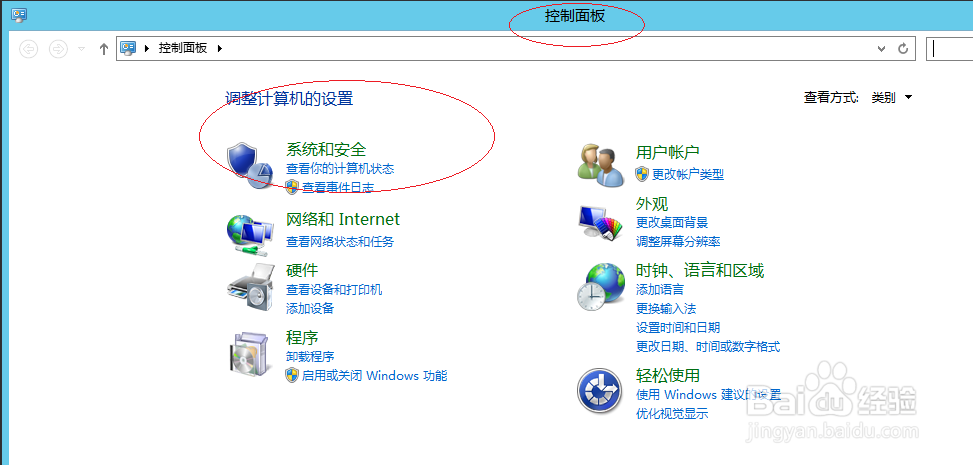
1、唤出"控制面板"程序窗口,点击"系统和安全"图标
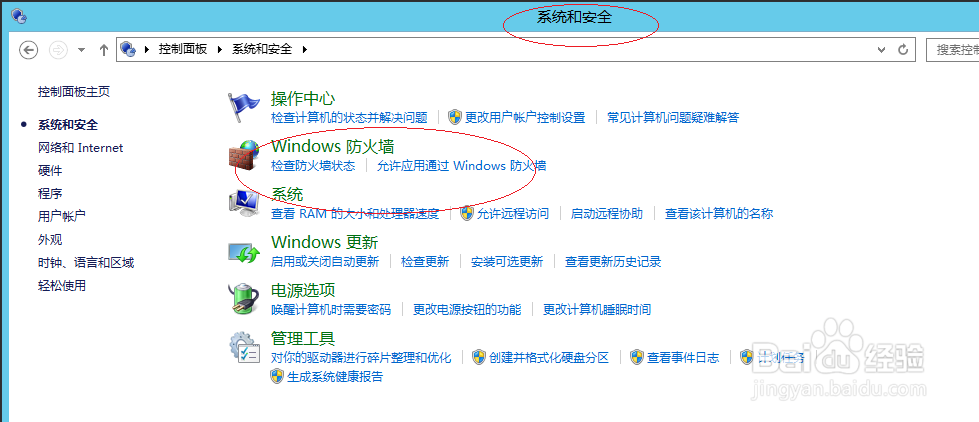
2、接着点击"Windows 防火墙"图标
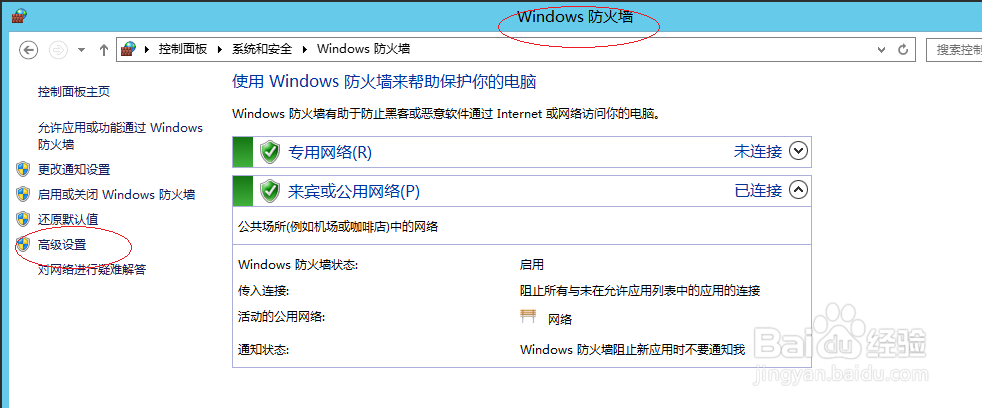
3、唤出"Windows 防火墙"选项界面,点击左侧"高级设置"图标
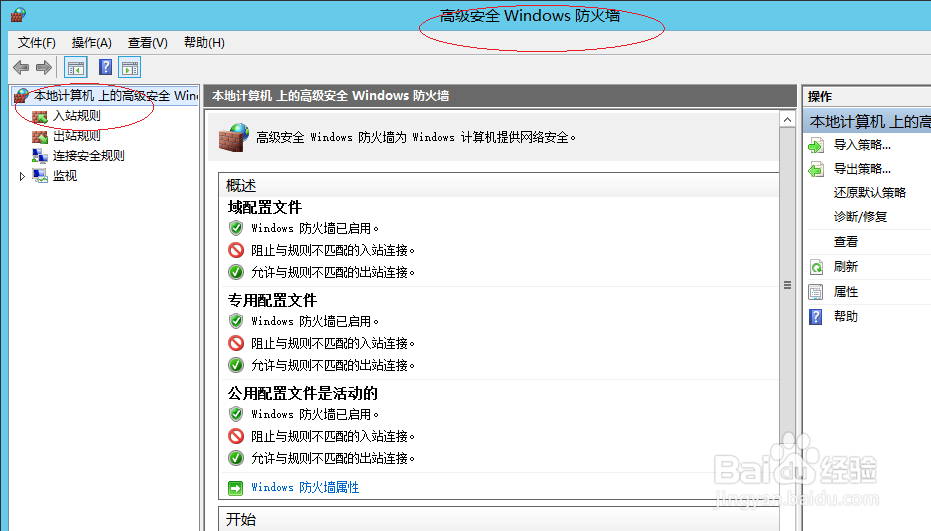
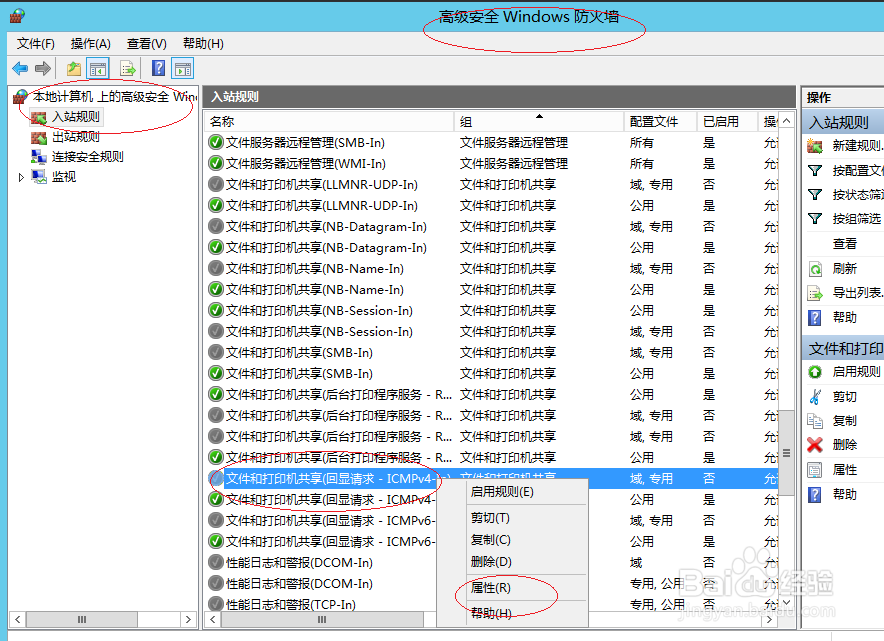
4、鼠标右击"入站规则|文件和打印机共享"图标,选项"属性"项
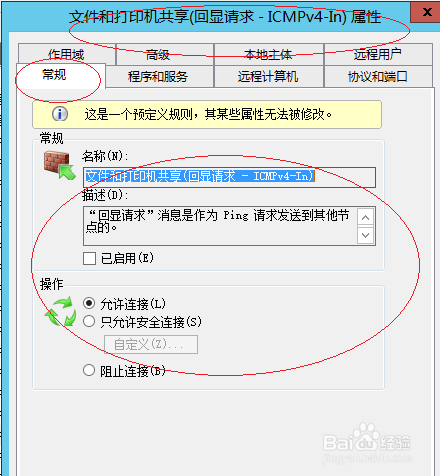
5、勾选"常规|已启用"复选框
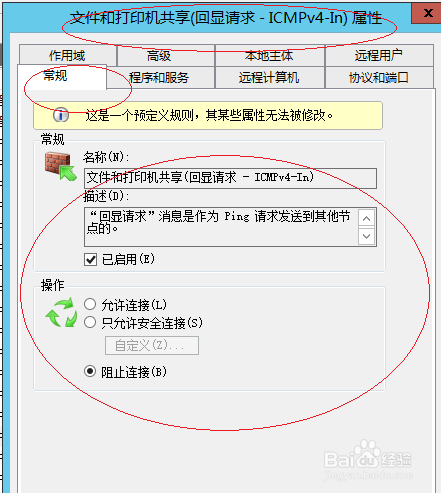
6、勾选"操作|阻止连接"单选框,完成拒绝PING命令通信的设置
阅读量:119
阅读量:45
阅读量:115
阅读量:170
阅读量:176
1、唤出"控制面板"程序窗口,点击"系统和安全"图标
2、接着点击"Windows 防火墙"图标
3、唤出"Windows 防火墙"选项界面,点击左侧"高级设置"图标
4、鼠标右击"入站规则|文件和打印机共享"图标,选项"属性"项
5、勾选"常规|已启用"复选框
6、勾选"操作|阻止连接"单选框,完成拒绝PING命令通信的设置