问答搜经验网
首页
美食营养
生活百科
知识问答
生活知识
返回
问答搜经验网
首页
美食营养
游戏数码
手工爱好
生活知识
生活百科
健康养生
运动户外
职场理财
情感交际
母婴教育
时尚美容
知识问答
更多知识
搜索
PowerShape 2017怎么设置显示为曲率
2026-03-03 17:36:15
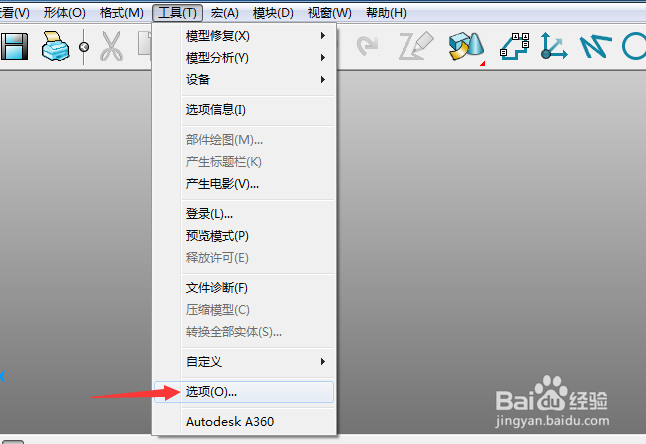
1、首先,点击菜单中的工具菜单,弹出了下拉菜单选中为选项
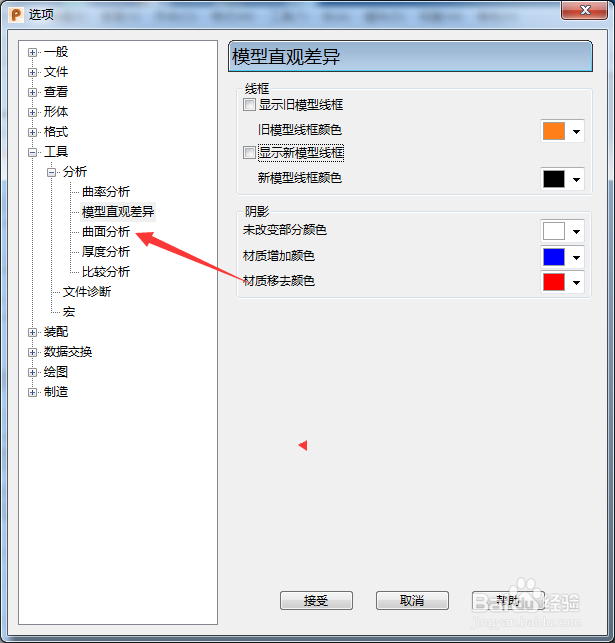
2、点击曲线分析选项
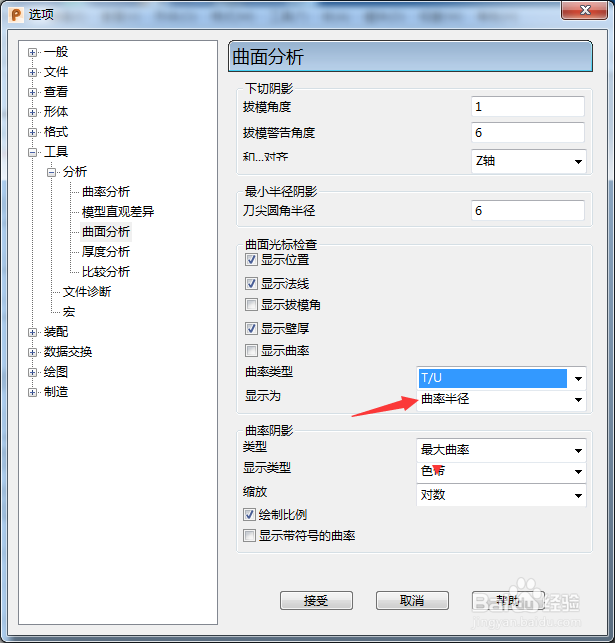
3、点击显示选项
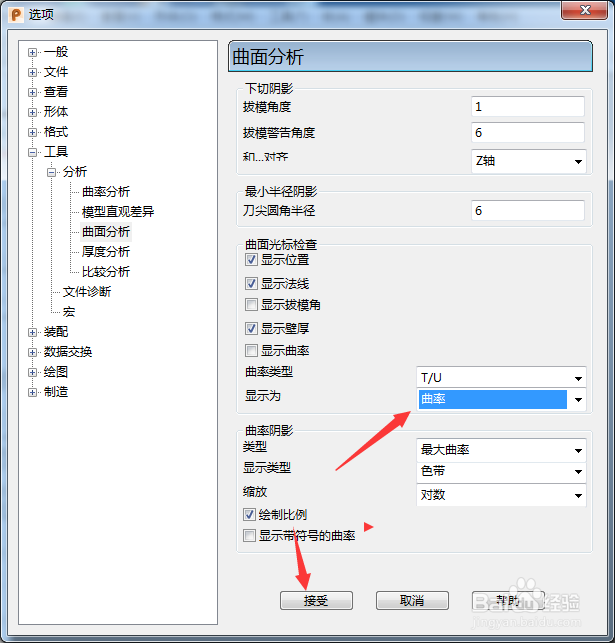
4、弹出了下拉菜单选择为曲率之后,点击接受按钮
相关推荐
ai曲率工具怎么用
阅读量:150
PowerShape 2017怎么关闭曲率梳垂直于视图
阅读量:20
PowerShape 2017怎么设置色带为连续
阅读量:166
PowerShape 2017怎么开启零始端曲率
阅读量:109
PowerShape 2017怎么设置曲率类型为TU
阅读量:60
猜你喜欢
冲狗煞南是什么意思
4月23日是什么星座
11月7日是什么星座
一什么帆船
旗舰机是什么意思
公共基础知识考什么
hankook是什么轮胎
干咳是什么症状
呆账是什么意思
通货膨胀下什么最保值
猜你喜欢
odm是什么意思
human是什么意思
马冬梅是什么梗
红尘来呀来去呀去也空是什么歌
271是什么意思
弯弯的月亮像什么
11月4日是什么星座
menu是什么意思
1983年属什么
别让我一个人疯掉是什么歌