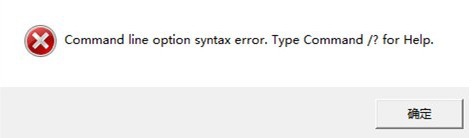
软件安装错误Command line option syntax error
1、新电脑或者重装系统后很多插件都没有,目前众多软件的运行环境又离不开插件,当在新环境下安装软件时,
提示:Microsoft Visual C++ 2005 Redistributable Command line option syntax error。
则要求安装VS2005/VS2008和.NET Framework等。(按提示安装需要的插件就行)

1、而当你在新电脑或者重装系统后,安装软件时,出现以下提示:Command line option syntax error.Type Command /?for Help.
一些软件开发者给出的解释是:
If the non unicode language is set in the operating system to a language such as Japanese then the win32 cabinet extractor can't handle the unicode characters in the username and will fail.
意思是说如果非unicode语言被设定操作系统语言,比如日语,用户名中如果win32处理器不能处理unicode字符,就会失败。
(总之来说,安装的路径不能有中文及不能识别的字符)。解决方法也很简单:安装的路径不能有中文及不能识别的字符。)
具体解决文案如下;
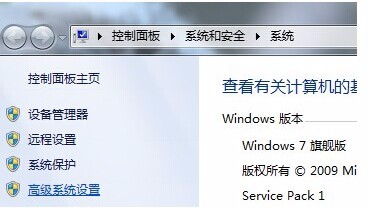
2、1.以win7系统为例:点击我的电脑,右击属性,点击高级系统设置。
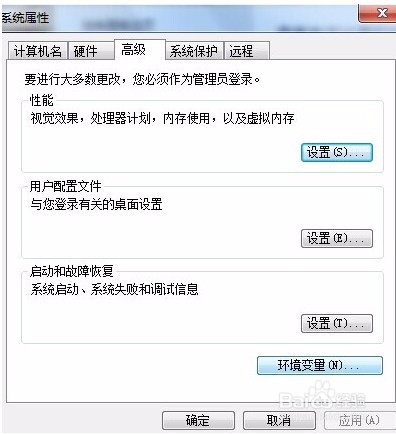
3、2.在随即弹出的系统属性对话框内,点击环境变量。
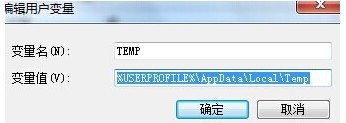
4、双击TEMP。
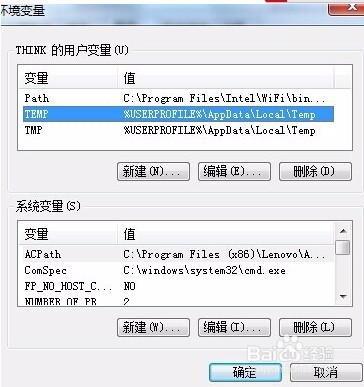
5、4.将变量值修改为C:\TEMP,点击确定。
TMP的修改和TEMP的修改相似,只是将变量值修改为C:\TMP。
通过以上几步操作,出现如上所指安装问题就能轻轻松松解决了。是不是很简单呢。