问答搜经验网
首页
美食营养
生活百科
知识问答
生活知识
返回
问答搜经验网
首页
美食营养
游戏数码
手工爱好
生活知识
生活百科
健康养生
运动户外
职场理财
情感交际
母婴教育
时尚美容
知识问答
更多知识
搜索
PowerShape 2017怎么设置拖动
2026-02-23 19:01:32
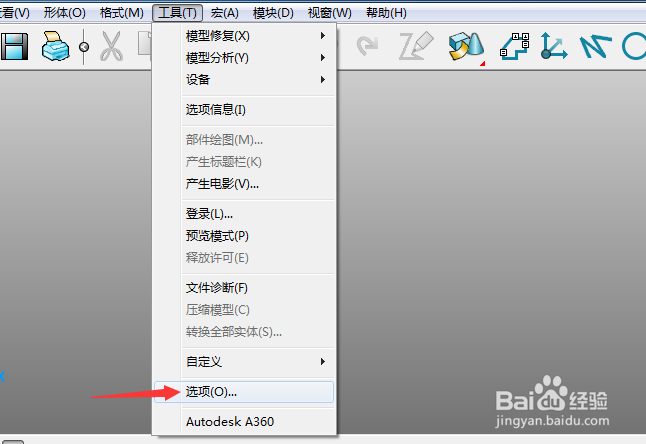
1、点击菜单中的工具菜单,弹出了下拉菜单选中为选项
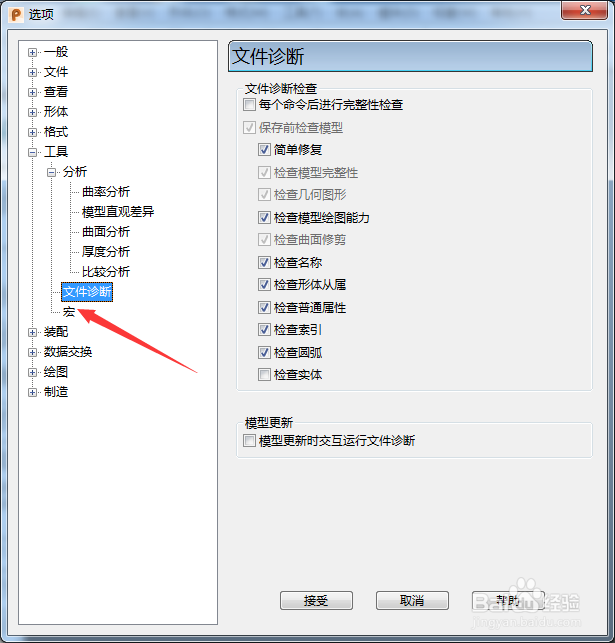
2、点击左侧中宏选项
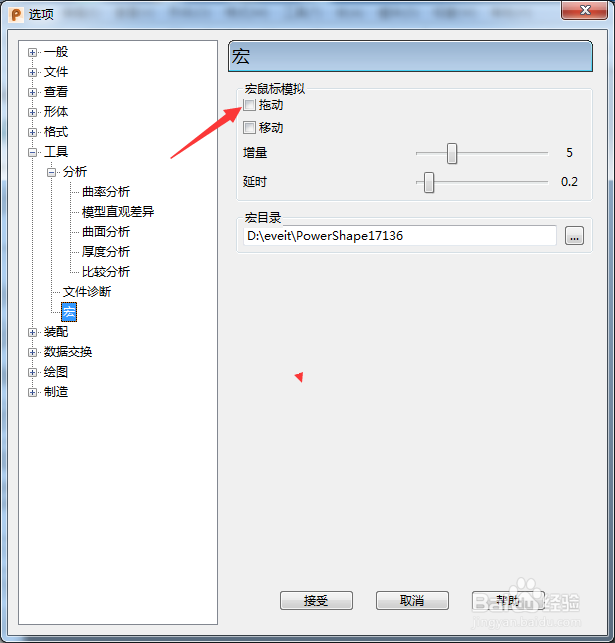
3、勾选上拖动选项
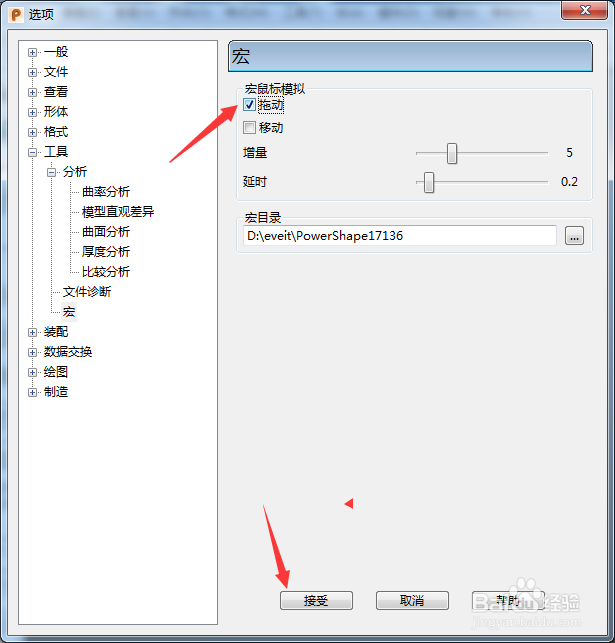
4、勾选上拖动选项之后,点击接受按钮
相关推荐
PowerShape 2017怎么设置色带为连续
阅读量:37
PowerShape 2017怎么关闭修剪
阅读量:57
PowerShape 2017怎么设置反转
阅读量:188
PowerShape 2017怎么设置多用户坐标系
阅读量:67
PowerShape 2017怎么设置检查形体从属
阅读量:150
猜你喜欢
大人发烧37.5度怎么办
圣诞节英文怎么说
惊喜用英文怎么说
怎么知道自己口臭不臭
武汉人怎么样
湖南人怎么样
退票怎么退
小舌头掉下来怎么办
qq忘记密码怎么办
麦粒肿是怎么引起的
猜你喜欢
qq热键冲突怎么修改
bt种子怎么用
新年用英语怎么说
灰灰菜怎么吃
淘宝怎么看一共花了多少钱
迈锐宝怎么样
红豆汤怎么做
三方协议丢了怎么办
刷卡金怎么用
怎么去脂肪粒